Data reconciliation
The most user-friendly way to reconcile your organisation's datasets and documents.
Stop analyzing spreadsheets by hand
HR and Payroll data should always be an exact match, and someone spends days proving and correcting that it is. Most of the time outsourced payroll vendor systems are the source of truth; we bring the data ownership and confidence back to your internal HR system.
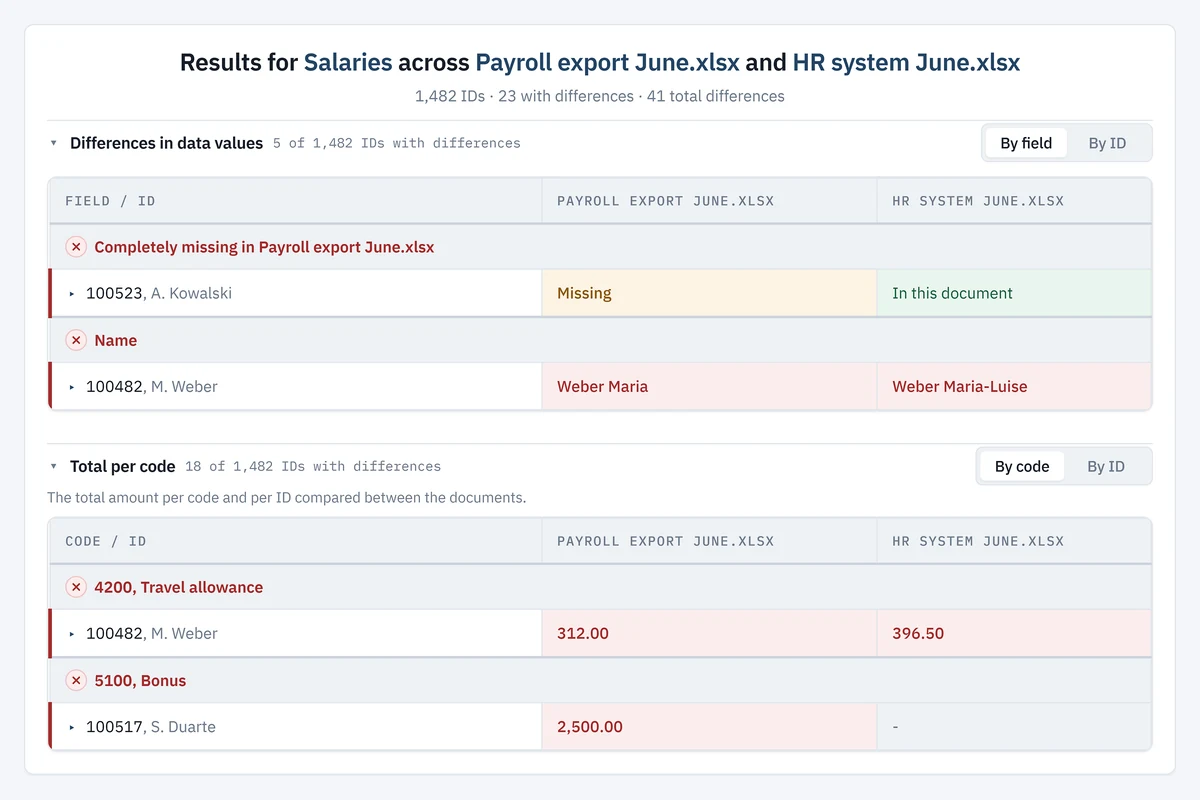
The Aptus Reconciliation module helps you from data cleanup between various systems to monthly payroll reconciliations. It imports data from all your sources, applies your mappings and shows exactly where the differences are, in minutes instead of days. Read below how we do it, in four steps.
From Import to Report
Four stepsImport
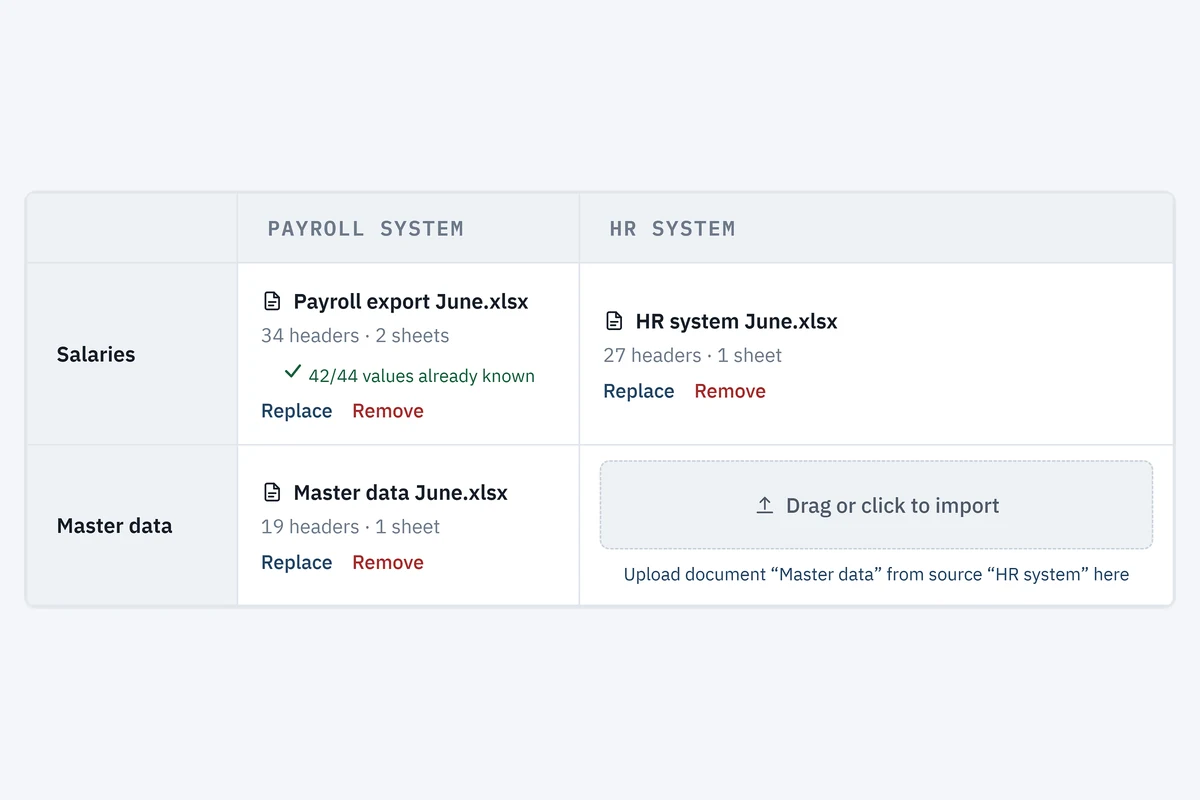
Easy import of the right datasets from multiple sources.
- Employee masterdata, time and attendance, payroll- and financial datasets, etc.
- Any export from any system, no integration needed.
- Combine multiple datasets into one report.
Mapping
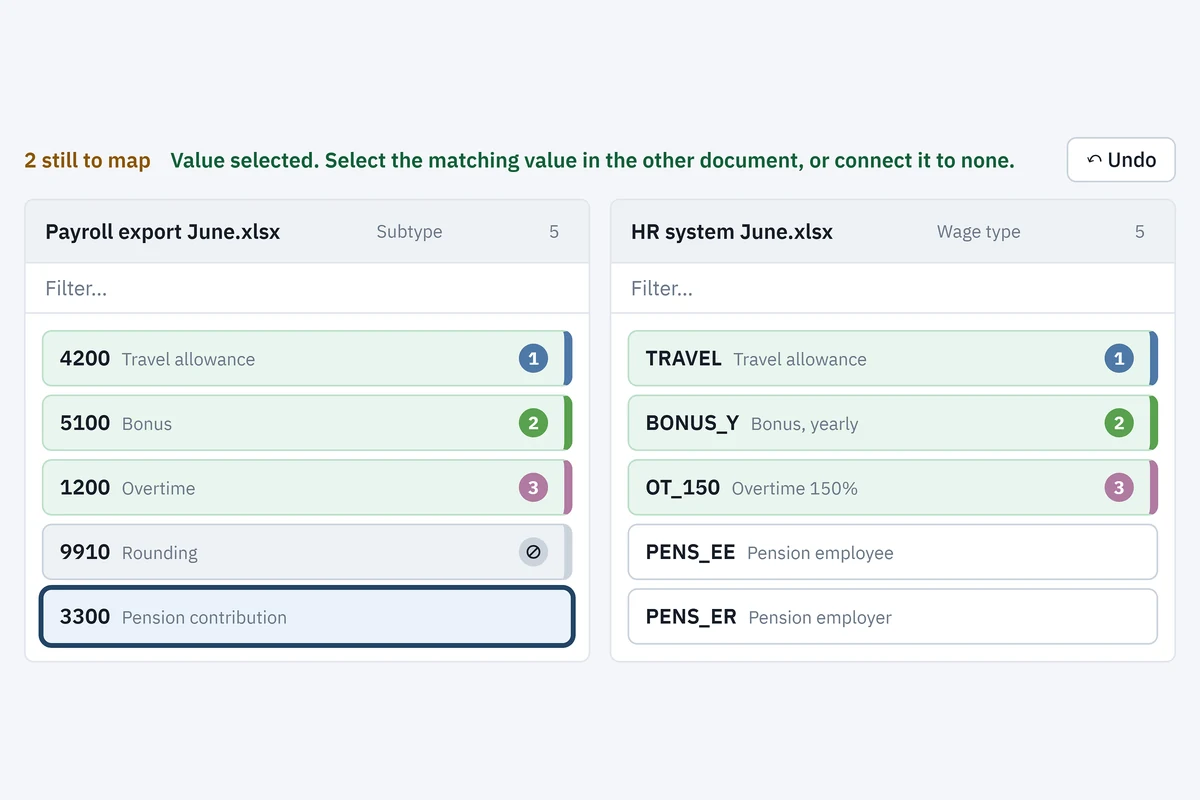
Values that are different across systems but mean the same.
- Intuitive mapping feature within the application.
- Saved across users, set up only once.
- New, not mapped, values are detected automatically.
Checks
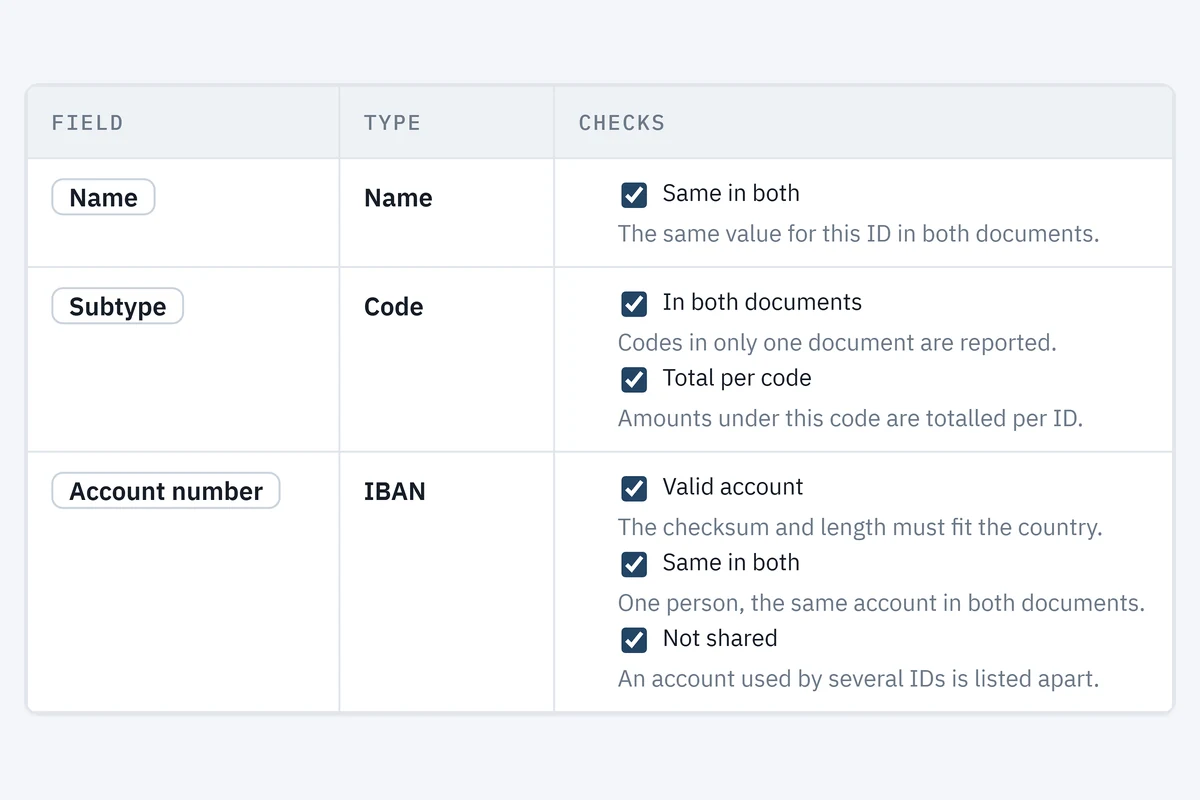
Ready-made per field, yours to adjust, nothing to maintain.
- Ready-made checks per field, switched on and ready to run.
- What still counts as equal is a setting, not a formula.
- A field brings its own checks, nothing to maintain.
Report and export
Clear report of all needed discrepancies.
- In application detailed reporting.
- Excel export to distribute across your team.
- Sort and filter to your needs.